


AI Chat Assistant - Gain AI
4.2499.00 Reviews
App Specs
- Version
- 2.7.5
- Updated On
- License
- Free
- Downloads
- 500,000+
- Developer
- Chat AI Labs
- Categories
- Productivity
- Platform
- Android
Screenshots

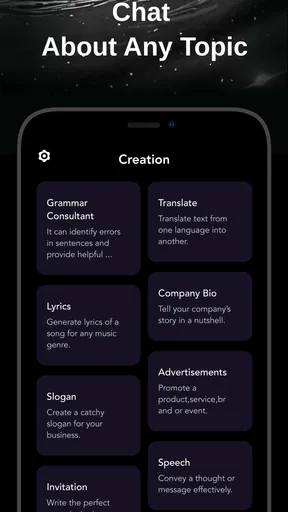
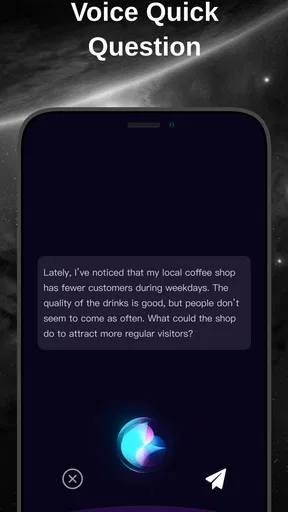
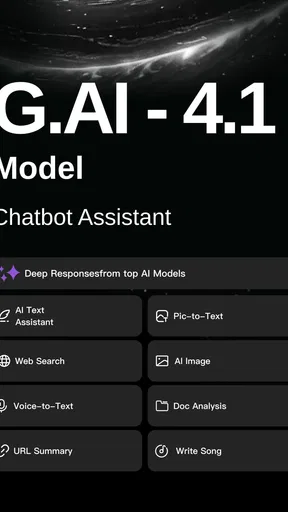
 Analysis by AppCompare
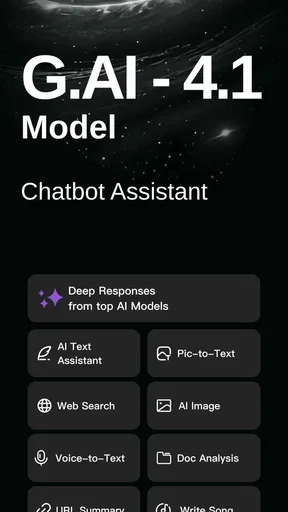
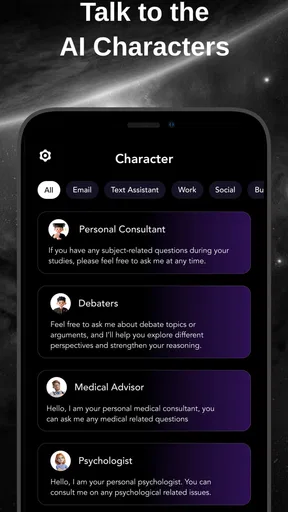
My most useful habit with an AI chat app is to treat it as a workbench, not an oracle: bring a clear task, check the answer, and keep the parts that help. G.AI - AI Chat & AI Chatbot is built for people who want several AI assistants within one productivity app, so it can be handy when I’m exploring an idea and want to compare approaches without making every conversation in the same place.
Start with one small, repeatable task
I’d begin with something low-stakes and easy to judge, such as turning a rough note into a polite message or asking for a few dinner ideas from ingredients already at home. That gives me a quick feel for the chat experience without relying on it for a decision that needs specialist knowledge. If the first reply misses the point, I can add the audience, tone, or constraints rather than simply asking the same broad question again.
A useful pattern is to separate brainstorming from verification. I might ask for several options, choose one worth developing, then check names, dates, calculations, or other important details independently. This is especially sensible when the answer sounds confident: fluent wording is not proof that a claim is correct. I get more value from the app when I use it to move a task forward, not to replace my own judgement.
Use model choice as a comparison tool
The appeal of having different assistants available is not that every answer will be better. It is that a second perspective can expose assumptions in the first. For example, I can ask one assistant to draft a short explanation and another to point out what a beginner might find confusing. I would compare the substance, not just pick whichever response sounds more polished.
That approach is particularly useful for writing, planning, and learning, where there may be several reasonable answers. It is less useful when I need a single authoritative source or live information that must be current. The app brings together assistants including Grok, Grok-4, ChatGPT, Gemini, Deepseek, and Claude, but the presence of those options should not be mistaken for a guarantee that their replies are interchangeable or equally suited to every task.
Check the practical details before building a routine
G.AI is a free download from Chat AI Labs, with optional in-app purchases ranging from $6.99 to $99.99 per item. I’d try the free experience first and decide whether the way I actually use it justifies spending anything. If an upgrade is presented, I’d read its terms carefully before confirming; a range of purchase prices alone does not tell me what a particular option includes.
The app is rated Teen, has a 4.0 average from around 6,500 ratings, and has passed 100,000 installs. It was released on December 23, 2024, and version 2.7.0 supports Android 8.0 and later. Those details help set expectations about its audience and availability, but they don’t tell me whether a response is accurate or whether a particular assistant fits my needs. I still test it with my own ordinary tasks.
Worth Reading Before You Choose

EA SPORTS FC Mobile 26 Is a Bigger Football Game, but It Takes Time

Flipboard Shows What News Apps Must Do Beyond the Feed

Switching to Android Auto Means Rethinking Your Driving Routine

Google Calendar Makes a Crowded Week Easier to Manage

Ludo King Makes the Most of the Minutes Between Plans

Baby Panda World Brings Quick Play to Modern Phones, but Its Game Library Feels Busy
Getting to Know G.AI
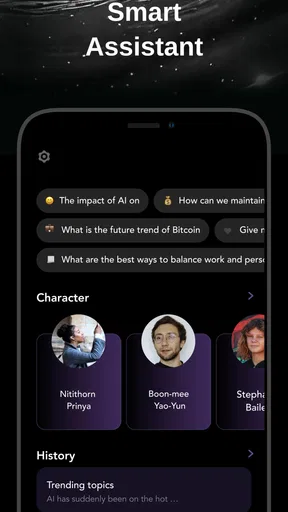
First things first, G.AI - AI Chat & AI Chatbot is not your average chatbot. It's like having a buddy who's ready to answer your questions, help you brainstorm ideas, or just chat when you're bored. Setting it up was a breeze, and before I knew it, I was diving into conversations that felt surprisingly natural. You know when you’re chatting with a friend, and they just get you? That's the vibe here.
Features That Stand Out
One of the coolest features is its ability to learn and adapt. The more you interact, the smarter it gets. It feels like the app is actually getting to know me, which is a bit eerie but also pretty awesome. I’ve thrown some pretty random questions at it, and most times, it’s come back with answers that genuinely made me think.
Another feature I love is the language support. Whether you're switching between English and Spanish or dabbling in French, G.AI has got you covered. It’s like having a multilingual friend who never gets tired of your language blunders.
Everyday Use and Practicality
Now, I’m all about practicality. How often can I use an app in my daily life? With G.AI, it’s like having a Swiss Army knife for conversations. Need help with a work project? Check. Want to know the weather or the latest news? Done. Fancy a chat about the meaning of life? Why not?
It’s especially handy during those moments when you need a second opinion or just want to bounce ideas around. I’ve found myself using it for everything from planning vacations to deciding what to cook for dinner. It’s like having a brainstorming session with someone who doesn’t judge your choices.
Build a quicker everyday workflow
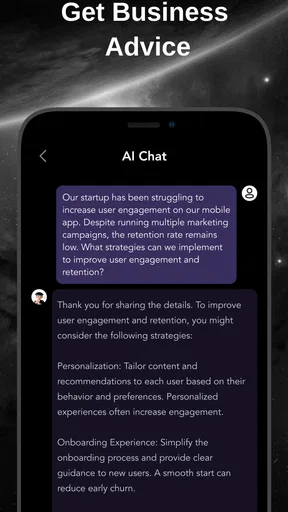
A realistic use is planning a busy evening. I can describe the time I have, what food is already in the kitchen, and any dietary preferences, then ask for a few meal ideas and a simple order of steps. If the suggestions are too ambitious, I can narrow the request: fewer ingredients, less preparation, or something that uses a particular item first. The benefit is not magic; it is turning a vague question into a useful brief.
For work, I’d use the same habit with a meeting note or an early draft. First ask for a concise summary, then request a version aimed at a specific reader, and finally check whether any key point was dropped. Keeping the original note nearby matters. It makes it easier to catch a subtle change in meaning before copying the polished version into an email or document.
One practical tip is to give the assistant boundaries up front: the intended audience, the format, and what it must not assume. If I need a short response, I say so; if I want options rather than a recommendation, I ask for options. This reduces generic replies and avoids spending several turns repairing a prompt that began too loosely.
Where a multi-assistant app helps—and where it doesn’t
Compared with using one standalone chatbot, a multi-assistant app can make it easier to seek a contrasting take while staying in a single app. That suits curious users, writers who like to test different framings, and students who want a concept explained in more than one way. It is also convenient for occasional questions when I don’t want a separate tool for every small task.
The trade-off is that a single-purpose assistant may be a better fit if I already rely on one model’s particular style or need a focused workflow around it. Likewise, someone who wants a traditional productivity suite for calendars, task tracking, file management, or team collaboration should not expect an AI chat app to replace those tools. G.AI’s appeal is conversational access to different assistants, not an all-in-one office system.
I’d also avoid treating multiple answers as independent confirmation. Different assistants can make similar mistakes, especially when the prompt contains a false premise or asks for details that need current verification. For health, legal, financial, or safety-critical decisions, I would use the conversation to prepare questions or understand general concepts, then consult a suitable professional or primary source.
Settings, habits, and sensible boundaries
Before making the app part of a daily routine, I’d look through the available settings and any purchase prompts, then decide which options I actually need. I would not assume that a setting exists just because another chatbot offers it. A simple personal rule is enough to improve consistency: use one assistant for the first draft, ask a second for critique only when the task benefits from another view, and verify facts outside the chat when accuracy matters.
For privacy, I’d keep prompts limited to the information needed for the task. A draft can usually be anonymized: replace a client’s name with “the customer,” remove account details, and summarize sensitive background rather than pasting it in full. That habit is worthwhile with any conversational AI, especially when I’m using a phone in a shared space or working with someone else’s information.
New users may wonder whether they need to pay to try it. The app is free to download, while optional purchases are available, so I’d first see whether the free access meets my needs and inspect the exact terms of any offer before buying. Another common question is whether it suits a younger user: its Teen content rating gives a useful age signal, but I’d still make decisions based on the individual and how they plan to use an AI chat tool.
What’s the Catch?
Alright, no app is perfect, right? There are times when the responses can feel a bit generic. But hey, even our best friends have off days. The occasional glitch is a small price to pay for the convenience and fun this app brings. Plus, updates are regular, which means it’s always improving.
Another point to note is the battery usage. While it’s not a massive drain, if you’re chatting away for hours, you might want to keep an eye on your battery life. It’s nothing a power bank can’t fix, though.
The main limitation for me is that convenience can encourage overconfidence. A smooth answer may still need editing, checking, or a more precise prompt, and switching among assistants can create extra noise if I ask all of them every question. I’d save comparisons for decisions where different viewpoints add value, rather than turning a simple request into a longer process.
Final Thoughts
All in all, G.AI - AI Chat & AI Chatbot has become a staple on my phone. It’s that reliable friend who’s always there, ready to chat or help out no matter the hour. Whether you're tech-savvy or just looking for a way to make life a bit easier, this app is worth a try.
So, if you're curious and ready to dive into the world of AI chatbots, give it a whirl. Who knows? You might just find it becomes your go-to app for all the little things in life.
For me, the best reason to keep it around is the freedom to try a question in more than one conversational style without turning every small task into a research project. The best reason to skip it is equally clear: if you need dependable, sourced answers or a dedicated system for organizing work, a specialist tool is a safer fit. Used with clear prompts, modest expectations, and a habit of checking consequential details, G.AI can be a practical companion for everyday thinking.
Pros
- User-friendly interface for easy navigation.
- Customizable chat options enhance experience.
- Supports multiple languages seamlessly.
- Regular updates with new features.
- Low battery consumption during use.
Cons
- Occasional lag in response time.
- Requires internet for optimal performance.
- Limited free features in basic version.
- Ads can be intrusive at times.
- Some AI responses lack depth.
FAQs for AI Chat Assistant - Gain AI
What features does G.AI - AI Chat & AI Chatbot offer?
G.AI offers a range of features, including real-time chatting with an AI that understands context and nuances. It also provides personalized responses, supports multiple languages, and can integrate with various third-party apps for enhanced functionality. Its user-friendly interface ensures that even first-time users can navigate it with ease.
How does G.AI ensure user data privacy and security?
G.AI employs advanced encryption protocols to secure user data both in transit and at rest. The app adheres to international data protection regulations, ensuring that personal information is never shared without explicit consent. Regular updates and security audits are conducted to maintain the highest standards of privacy.
Is G.AI compatible with both Android and iOS devices?
Yes, G.AI is fully compatible with both Android and iOS platforms. The app is optimized to offer a seamless experience across devices, ensuring consistent performance regardless of the operating system. Regular updates are available on both Google Play and the Apple App Store to enhance compatibility and functionality.
Can G.AI be used offline?
G.AI primarily requires an internet connection to access its full range of features, as it relies on online servers for AI processing and data retrieval. However, it does offer limited offline functionality, allowing users to access previously downloaded content and basic features without connectivity.
What are the subscription options for G.AI?
G.AI offers a free version with basic features, alongside premium subscription plans that unlock advanced capabilities. Users can choose between monthly or annual plans, with discounts available for longer commitments. The premium version includes additional customization options, priority support, and access to exclusive content.


